Migrating from Sonatype to ProGet

Migrating from Sonatype to ProGet
If you’re looking to migrate from Sonatype to ProGet and are already familiar with Nexus, Lifecycle, etc, you’ll recognize some similarities. Repositories, security controls, package management, and software composition analysis all exist on both platforms. But the two systems aren’t 1:1. Understanding where they differ will make your transition much smoother.
Having said that, migrating to ProGet isn’t difficult. Our guide “Migrating from Sonatype to ProGet” was written to support you throughout this process. It explains ProGet in terms that are intuitive for anyone who’s used Sonatype’s products, outlining the key steps and preparation you’ll need along the way.
In this first chapter of the guide, we’ll bring you up to speed with the main things you’ll need to know to get started, such as how repositories and security work in ProGet. We’ll also cover how to get your ProGet instance up and running, and how to maintain it going forward.
Overview of Sonatype and ProGet
Both Sonatype and ProGet help development teams manage, secure, and distribute software components. The core concept is the same: centralize your packages, enforce governance, and support automation throughout the build and deployment process. However, the way each platform delivers and organizes these capabilities is quite different.
Sonatype works across separate platforms: Nexus Repository for binaries, Lifecycle for SCA and policy enforcement, and Firewall for quarantining risky packages. ProGet combines these capabilities into a single solution. It manages both internal and external packages, performing in-system vulnerability and license scanning, and supporting automated workflows without relying on multiple products.
In ProGet, repositories are called “feeds” and serve a similar purpose to repositories in Sonatype Nexus in how they store and distribute packages. The difference is in how they’re structured. Sonatype separates repositories into hosted, proxy, and group types and depends on additional products for advanced security or policy features. ProGet uses highly configurable feeds that can manage various package types such as NuGet, npm, PyPI, and Docker, while also providing built-in governance and scanning capabilities.
👉🏻 See “Understanding Feeds as Package Repositories” to learn more
Getting Started with ProGet
The first step in migrating to ProGet is simply getting your instance up and running. ProGet is designed to be easy to install and maintain, whether you’re deploying it on Windows, Linux, or as part of a High Availability cluster. Most users install and manage ProGet through Inedo Hub, which streamlines updates, configuration, and service management.
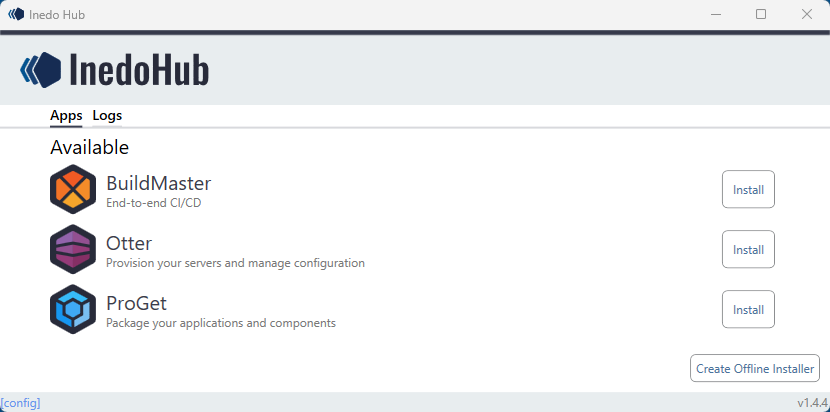
Once the instance is in place, you’ll be ready to begin configuring feeds, permissions, and security features in preparation for migrating your existing Sonatype data.

👉🏻 See “Self-Managing Your ProGet Instance” to learn more
Migrating Your Environment
Users, Roles, and Permissions
If you’ve been using Sonatype tools, you already have users, roles, and permissions defined in your environment. As you migrate, you’ll want to understand how those concepts translate into ProGet. Both platforms use roles and granular privileges to control access, but ProGet organizes these around feed-based permissions, giving you fine-tuned control over how different teams interact with each feed.
ProGet can also connect directly to your existing directory services, such as Active Directory or LDAP. Among other things, this means you can bring over your users and groups without starting from scratch. Once connected, assigning roles and permissions becomes a straightforward part of the migration process.
👉🏻 See “Managing Users, Security, & API Keys” to learn more
API Keys
If you have various API keys created in your Sonatype instances, you’ll be able to take a similar approach in ProGet. ProGet lets you create and manage keys directly in the web UI, through the command-line tool, or via the API. You can generate keys for system-wide privileges, feed-specific actions, or personal use, giving you flexibility in how automation tools and CI/CD pipelines authenticate with the platform.
👉🏻 See “Managing Users, Security, & API Keys” to learn more
Software Composition Analysis (SCA) and Policies
ProGet integrates SCA and policy enforcement directly into the platform, unlike Sonatype Lifecycle, which operates as a separate product. This centralizes security alongside your packages and reduces the complexity of managing multiple tools.
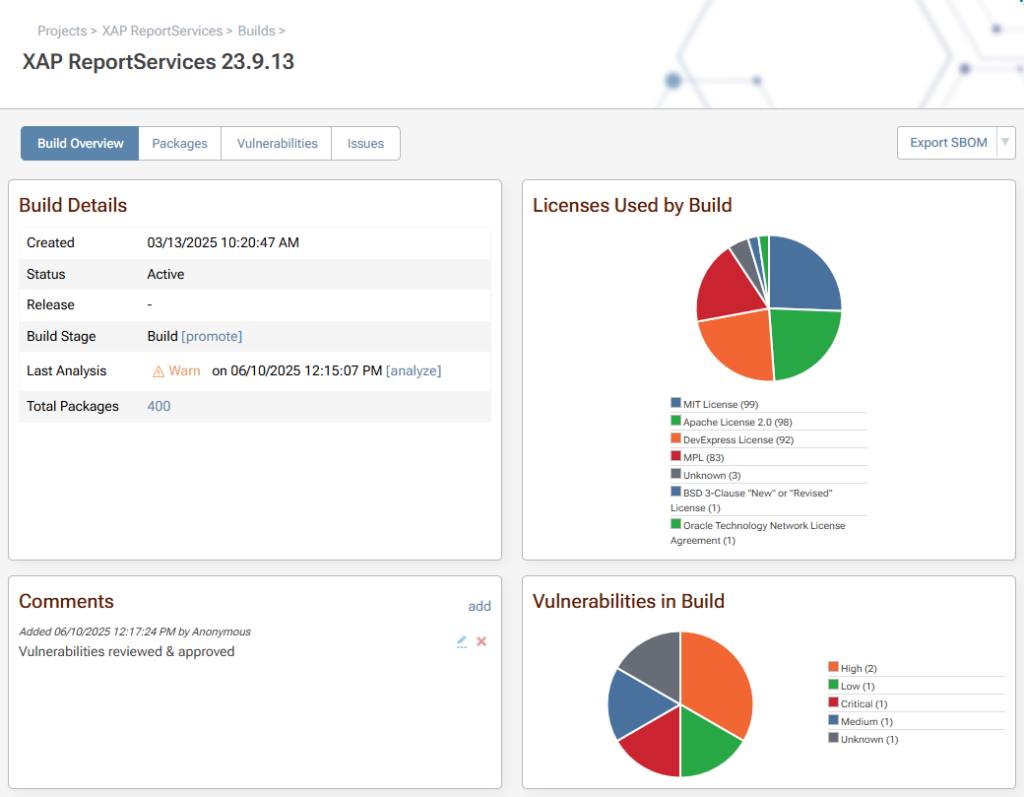
Build-time scanning in ProGet catches transitive dependencies and ensures policies are applied consistently. Policies can be enforced globally or per feed, giving teams flexibility to tailor governance without fragmenting security workflows.
👉🏻 See “Governance in ProGet: Policies & SCA” to learn more
Blocking Vulnerabilities and Licenses
Sonatype users often rely on Nexus Firewall to quarantine or block risky packages. ProGet takes a more modern, risk-focused approach. Instead of blocking entire packages outright, ProGet evaluates and blocks the specific risks associated with vulnerabilities or licenses, whether identified in upstream packages before they enter production or discovered in packages already in use.

This is enabled through fine-grained rules for vulnerabilities and license types, combined with context-based assessments using the Package Vulnerability Remediation Scale (PVRS) to help determine the severity and impact of vulnerabilities. Enforcement can be configured at the feed level or through global policies, allowing fully automated and precise controls.
👉🏻 See “Package Management: Vulnerabilities and Licenses” to learn more
SBOM Management and Compliance
Sonatype provides SBOM capabilities through a separate SBOM Manager, but ProGet includes SBOM management directly within the platform. SBOMs stay automatically synchronized with your packages, builds, and policies, reducing overhead and ensuring consistency across your environment.
You can import existing SBOMs into ProGet or generate new ones as part of your build and release processes. ProGet-generated SBOMs include component, dependency, license, and vulnerability information, helping teams meet compliance requirements and simplifying audit workflows.
👉🏻 See “Managing Software Bills of Materials (SBOMs)” to learn more
Maintaining Your ProGet Instance
Backing Up and Restoring
Securely storing your artifacts protects your organization from hardware failures, system errors, and unexpected data loss. Both Sonatype Nexus and ProGet offer built-in backup and restore features, and while the overall processes are similar, each platform handles and stores data in slightly different ways. Understanding these differences will ensure you have a reliable disaster-recovery plan in place.
👉🏻 See “Storage, Backing Up & Restoring in ProGet” to learn more
Retention Policies
ProGet’s retention policies help automatically clean up old or unused packages, keeping your feeds fast, lightweight, and responsive. While this is conceptually similar to what Sonatype users may be familiar with, ProGet handles build and SCA data differently. Instead of simple age- or count-based cleanup, ProGet offers pipeline-based retention rules, giving you much tighter control over what gets preserved and what is deleted across builds, feeds, and SCA reports.
👉🏻 See “Retention Explained: Packages & Builds” to learn more
Replication Across Instances
If your teams work across multiple locations or if you maintain separate environments for development, staging, and production, replication ensures packages stay synchronized and accessible wherever they’re needed. ProGet includes built-in support for feed-level replication, using either hub-and-spoke or bi-directional synchronization models.

For teams familiar with Sonatype’s approach to replication, ProGet will feel familiar, but with added flexibility and integrated monitoring to make administration easier and more transparent.
👉🏻 See “How Replication Works in ProGet” to learn more
Moving Ahead with ProGet
Migrating from Sonatype to ProGet is a straightforward process. The platforms share many similarities, and if you’re already comfortable with Nexus and its ecosystem, you’ll find much of ProGet familiar. That said, the differences between the tools mean a bit of preparation goes a long way. Understanding how ProGet organizes feeds, security, automation, and governance will help ensure your transition is smooth and successful.
The chapters in this series on Migrating from Sonatype to ProGet cover repositories, SCA, backups, replication, and more. They will provide you with a clear roadmap for every step of your migration.