Understanding Feeds as Package Repositories

Feeds and Package Repositories
In ProGet, repositories are called “Feeds.” Feeds provide package storage, distribution, and proxying functionality similar to repositories in tools such as Sonatype Nexus.
While many concepts are familiar, ProGet handles repository management differently in several areas, particularly through the use of Connectors and configurable feed behavior.
This article covers:
- migrating existing repositories into ProGet
- how feeds compare to Sonatype repositories
- how Connectors work in ProGet
- configuring feeds for different repository scenarios
Feed Architecture
Instead of using separate repository types, ProGet uses configurable feeds that can be adapted for different package management workflows.
For example, feeds can be configured to:
- Host internal packages
- Proxy packages from public repositories such as nuget.org or npmjs.org
- Aggregate packages from multiple feeds
This replaces Sonatype’s separate hosted, proxy, and group repository model with a more unified feed configuration approach.
Connections to public repositories or other ProGet feeds are managed through Connectors.
Connectors
Connectors allow feeds to retrieve packages from external or internal package sources, including:
- Other ProGet feeds
- Open-source galleries (e.g., nuget.org, npmjs.org)
- External package repositories
A feed configured with a Connector to an open-source repository functions similarly to a proxy repository in Sonatype. A feed connected to multiple feeds functions similarly to a group repository.
When a feed is connected to an upstream source such as nuget.org, packages become available directly through the feed interface.

Feed Configuration
Basic feed configurations can be used to replicate common Sonatype repository patterns.
| Sonatype Repository Type | ProGet Feed |
| Hosted Repository | Feed without a Connector |
| Proxy Repository | Feed with Connector to another repository |
| Group Repository | Feed with Connectors to multiple feeds |
Basic Feed Configuration
A feed configured without Connectors functions similarly to a Hosted Repository in Sonatype and is typically used for internal packages.
To create one:
1. Create a new feed
2. Select the appropriate package type
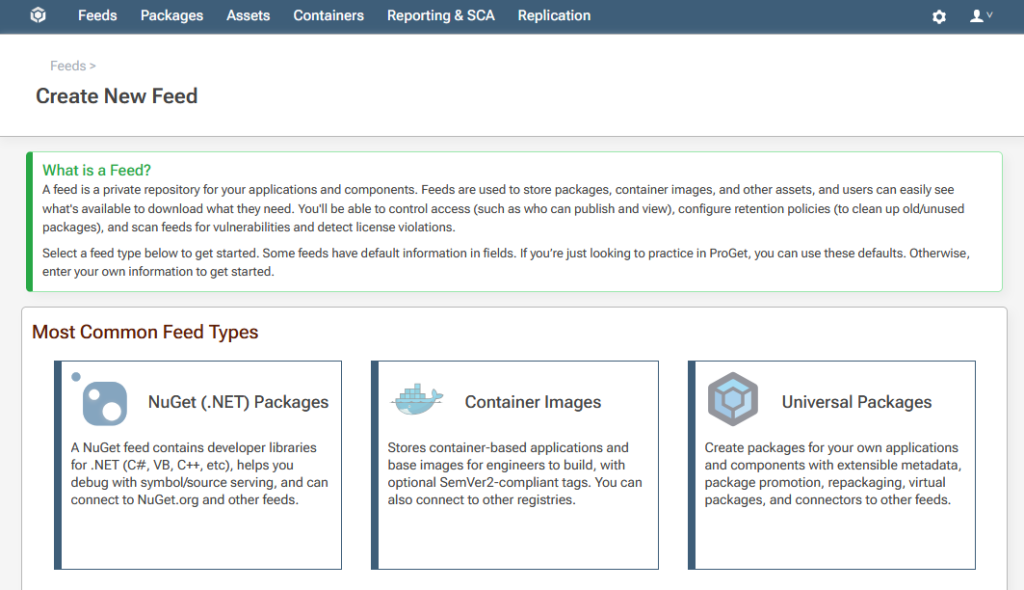
3. Choose “Private/Internal Packages”

This creates a feed that can be used to publish and manage internal packages.

Feed Connectors
A feed configured with a Connector to an open-source repository functions similarly to a Proxy Repository in Sonatype.
To create one:
- Create a new feed
- Select the package type
- Choose “Free/Open Source Packages”

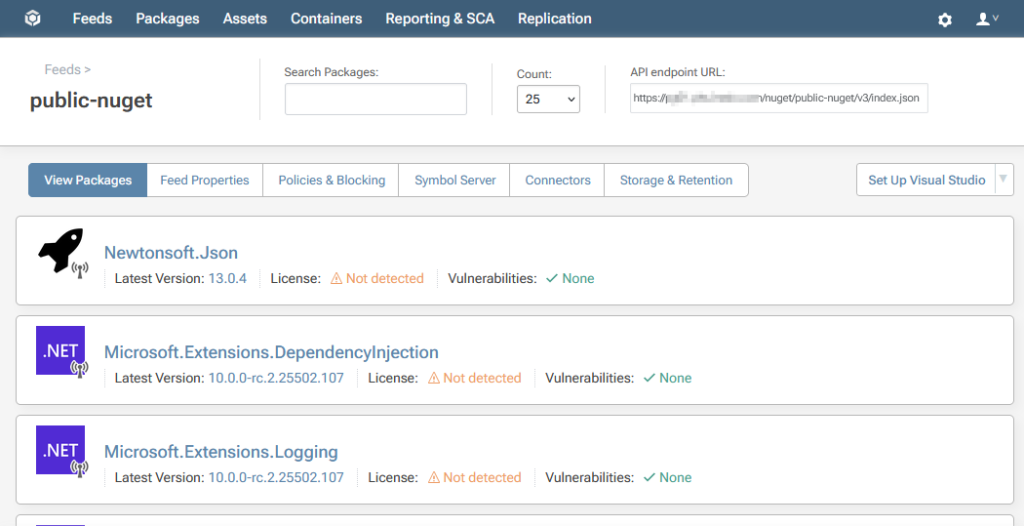
During setup, ProGet can automatically configure a Connector to the default open-source repository for that package type.

Once configured, proxied packages become available directly through the feed interface and can be searched using the feed search tools.
Multi-Feed Aggregation
Feeds can also aggregate packages from multiple ProGet feeds, similar to a Group Repository in Sonatype Nexus.
This configuration is commonly used to:
- Combine packages from multiple teams or projects
- Centralize package access across environments
- Apply separate permissions or filters to aggregated packages
To configure this setup:
- Create a new feed
- Add Connectors to the feeds you want to aggregate
- Associate the Connectors with the new feed

Packages from connected feeds will then be available through the aggregated feed.
Repository Migration
Existing Sonatype repositories can be migrated into ProGet using the Migration Wizard.
During feed creation:
1. Select the “Import” option
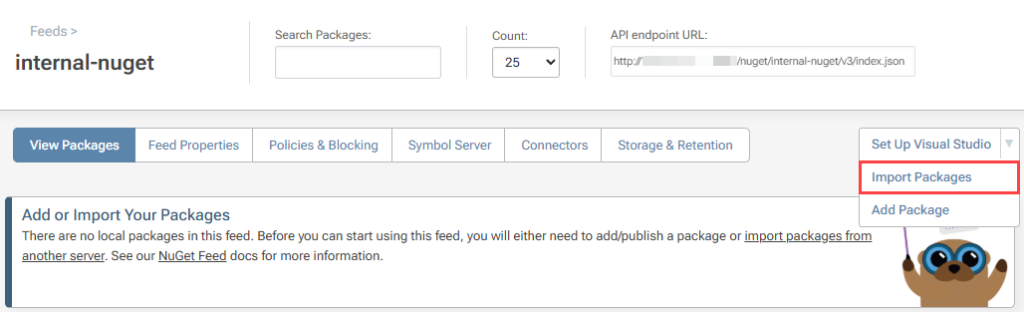
2. Choose Sonatype Nexus from the list of supported services

3. Enter the Sonatype Nexus URL and credentials
ProGet will then import the repository packages into the new feed configuration.

For additional migration details, see our guide on HOWTO: Migrate from Sonatype Nexus to ProGet
Managing Repositories with Feeds
ProGet uses configurable feeds to support package hosting, proxying, and aggregation within a unified repository model.
Connectors provide upstream and multi-feed functionality without requiring separate repository types, allowing feeds to support workflows similar to hosted, proxy, and group repositories in Sonatype Nexus.
After migrating repositories into ProGet, additional feed capabilities such as package approval workflows, asset directories, and universal package feeds can be configured as needed.
This structure determines how repository access is managed. The next article covers users, permissions, and API key management in ProGet, including feed-level permissions and migration of existing Sonatype access models.