Vulnerability Management with Policies

Vulnerability Management with Policies
ProGet’s SCA features are all present out of the box, scanning and preventing non-compliant packages from being used in builds, according to the policies you configure.
Policy configuration looks a little different in ProGet, not only letting you set rules for blocking packages, but also create a risk profile unique to your organization’s environment, so you can receive tailored remediation guidance.
The focus of this article is on how to configure your existing vulnerability policies in ProGet and how to assess vulnerabilities in the context of your applications, so you know when and how to remediate in your vulnerability management workflow.
Vulnerability Scanning in ProGet
ProGet uses Software Composition Analysis to scan your feeds (repositories) and builds, identifying and managing vulnerable packages.
Let’s say you create a NuGet feed called public-nuget with a connector to NuGet.org. The proxied OSS packages in this feed are scanned against the Inedo Security Labs vulnerability database, a curated aggregate of several vulnerability databases such as the NVD.
Any detected vulnerabilities are then show in the vulnerabilities tab of the package:
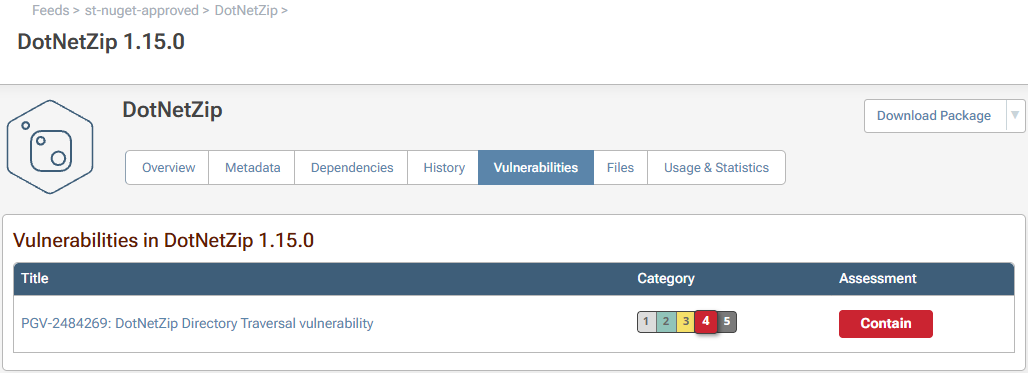
Identified vulnerabilities will display a category, designed to show you how urgently to remediate, as well as an assessment type, showing you what action to take. Categories range from 1 to 5, and as the scale increases indicate that remediation has a higher urgency. ProGet’s default assessment types let you know whether to monitor, remediate, or contain the vulnerability in question.
Many vulnerabilities, even severe ones, will not have an impact on your applications, having a low chance of being exploited and posing little impact. This is why categories and assessments are tailored to your apps, based on customizable risk profiles you configure, and why risk profiles and policies can be scoped to different feeds:

Configuring Policies in ProGet
In ProGet, policies are rules that define how assessed vulnerabilities are evaluated, determining if a package is compliant, triggers a warning, or is non-compliant and contained, preventing it from being used in builds.
ProGet’s policies can be configured in Package Policies, where you’ll find the a default set of global policies already configured, including a default risk profile assuming a typical organization that isn’t dedicating serious resources to vulnerability management:

Suppose you wanted to block all vulnerable package downloads from the public-nuget feed. You’d create a new feed-level policy and set all vulnerability assessments to non-compliant, blocking all identified vulnerabilities from being downloaded:
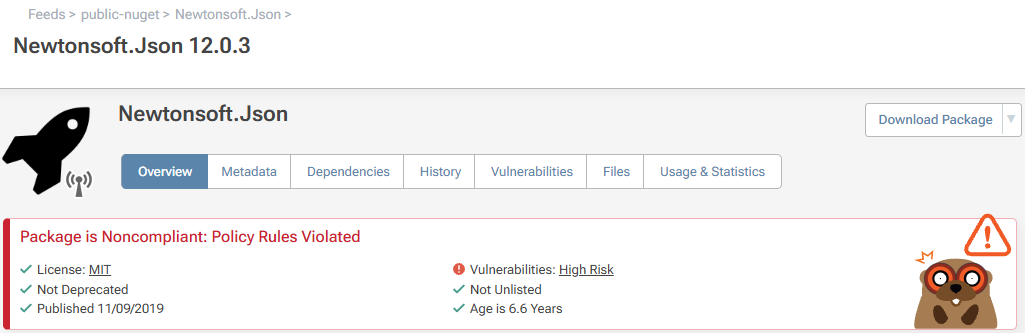
When non-compliant vulnerabilities are detected, you can send emails or messages, or alert your developers via Teams or Slack, using notifiers.
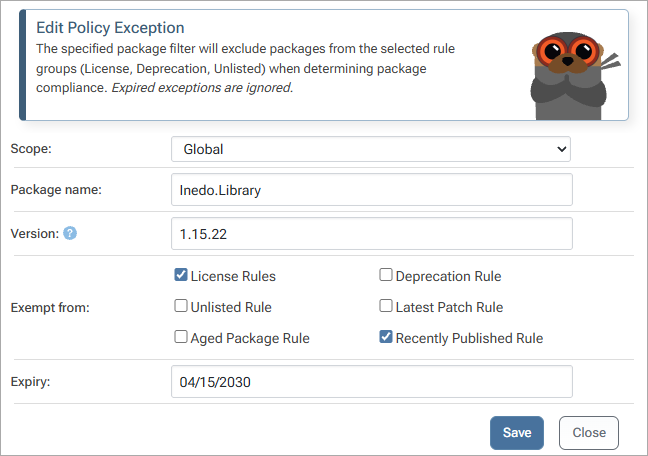
You can also create exceptions to exempt packages from policy rules, using filters like the package name and version. These filters also allow for wildcards (e.g 3.* to exclude all version 3 releases):
Improve Your Vulnerability Management
ProGet also offers several features that can improve your vulnerability management workflow.
Manual Assessment
Most vulnerabilities won’t pose a real-world risk to your apps, which is why it’s best to assess package vulnerabilities on a case-by-case basis. In ProGet you can disable automatic assessments, allowing you to evaluate packages yourself and leave comments to communicate assessments:
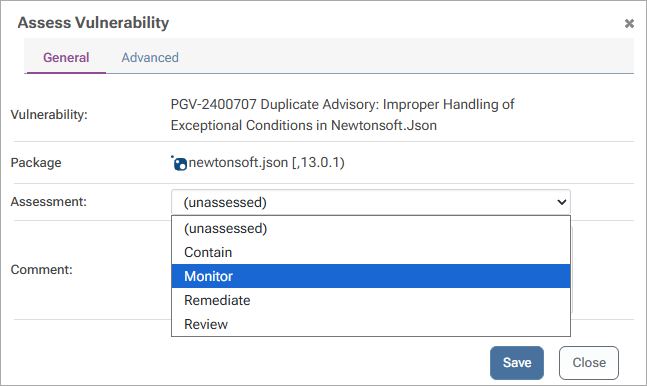
You can also configure feed-level policies alongside these. For example, here unassessed packages and packages assessed as remediate are set to non-compliant, even though they are both acceptable at the global level:

Customized Assessment Types
In ProGet, you can asses vulnerabilities based on CVS scores or severity ratings, but we recommend using categories for tailored remediation guidance. You can also customize what assessment types map to each category:

When you’re creating a custom assessment type just for a limited time, ProGet allows you to set an expiry date to prevent any custom assessments from lasting longer than intended:

Using “Global” policies in combination with feel-level policies allows you to define specific rules for specific feeds, while creating global compliance across all feeds.
Conclusion
ProGet has Software Composition Analysis as part of the product, scanning packages for vulnerabilities using a proprietary database that aggregates data from various sources such as the NVD.
ProGet can either automatically assess package vulnerabilities or let you manually assess them yourself. You’ll also be provided with remediation guidance based on your application’s environment, which we break down further in the next article, Curation in ProGet.