Managing Build Artifacts and Metadata

Managing Build Artifacts and Metadata
Artifactory and ProGet can be used to store and manage:
- Build artifacts
- Build metadata (including OSS libraries and components)
However, ProGet is a modern package manager rather than just a file server like Artifactory.
This article breaks down the difference in how Artifactory and ProGet handle build artifacts and metadata, how to migrate build info with SBOMs, and integrate ProGet into your CI server.
Build Artifacts in Artifactory and ProGet
Mentioned in the previous article, Artifactory launched over twenty years ago as a “Maven2 proxy repository with advanced features”. Despite changes and updates, it’s still a Maven repository acting as a file server at its core.
It’s a somewhat outdated solution consisting of folders that are considered “builds”, with a POM file that contains build metadata. Files can be freely added or deleted similar to a shared drive.
Instead, ProGet uses packages over files for build artifacts, providing built-in support for versioning and dependency management. Packages are immutable once uploaded, cryptographically sealed, and you can store the package’s hash external to ProGet.
You can store build artifacts in ProGet using a Maven feed, but we recommend storing them as Universal Packages in a Universal Package feed, single zip file archives that follow SemVer2 standards. They have a manifest file with strict requirements, but also allow you to add your own metadata.

Tracking Build Metadata & OSS Dependencies
Build artifacts are tangible file in repositories:
- Binaries
- Libraries
- Executables
Build metadata is information about the build, primarily its OSS dependencies, often called SBOMs. These are tracked in a different place to build artifacts themselves.
Artifactory stores build metadata in specifically-formatted repositories called buildInfo, while ProGet stores build metadata in Builds and Projects. Conceptually they are similar, but function differently.

Migrating Your BuildInfo to ProGet
Both Artifactory and ProGet allow importing and exporting SBOMs, so migrating your BuildInfo is a simple case of exporting it as an SBOM in Artifactory and importing it into ProGet.
Once your builds are in ProGet, you might also want to set up permissions like your builds in Artifactory. ProGet user permissions are not set to Builds or Projects. Instead, you’ll associate Projects with Feeds and apply feed permissions to these projects.
How ProGet Integrates with a CI Server
You can integrate your ProGet instance easily with your CI Server using pgutil, ProGet’s CLI tool. pgutil’s CLI can be used in a similar manner to JFrog’s CLI or Artifactory plugins. However, unlike in Artifactory where you compile your code and then “publish” a build, you’ll run pgutil after compiling the code.
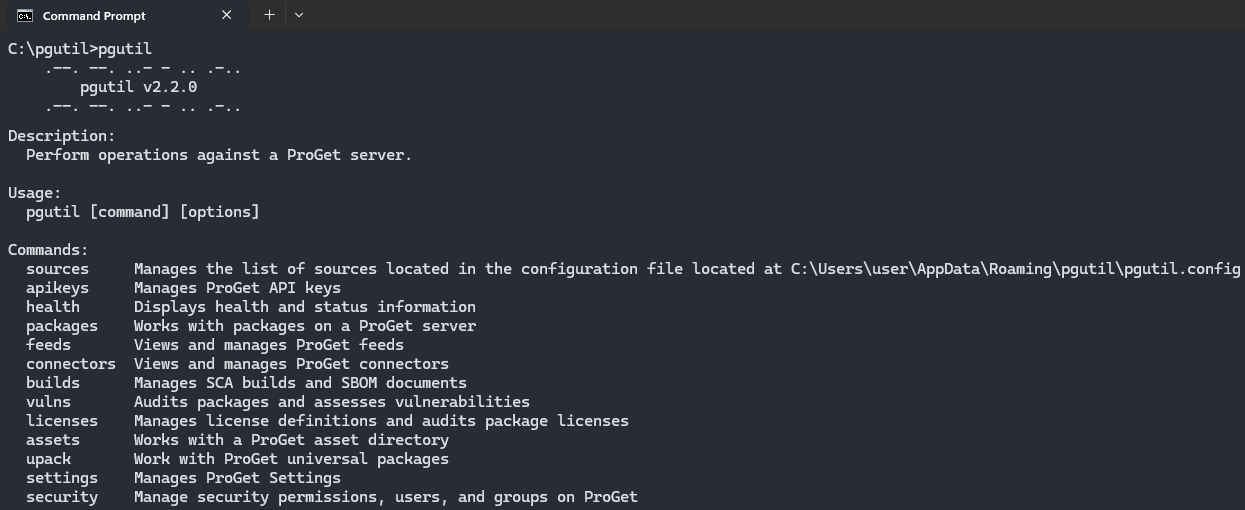
Like with Artifactory CI Server integrations, pgutil also handles other operations as well. In both cases, integration is relatively simple and involves editing a build script, pipeline, or template.
Conclusion
ProGet can manage build artifacts, but the technical approach is a little different to Artifactory, functioning as a modern package manager rather than just a file server, treating build artifacts as packages instead of files.
ProGet manages build metadata in Builds and Projects, similar to Artifactory BuildInfo repositories. Migrating build metadata is a simple case of generating SBOMs in Artifactory and importing them into ProGet.
pgutil can be used to integrate ProGet into your CI server, with configurable API keys as explained in our next article covering API Integration in Your ProGet Instance.